A fresh view
of campus care.
Three familiar workflows, seen through a cleaner interface. Follow the conversation, the record and the care that continues across devices.
These alternate films use a reimagined interface and sample data. They show ozehr workflows, not exact screenshots of the current apps. The original product-view editions are available below for comparison.
More eye contact. Less time charting.
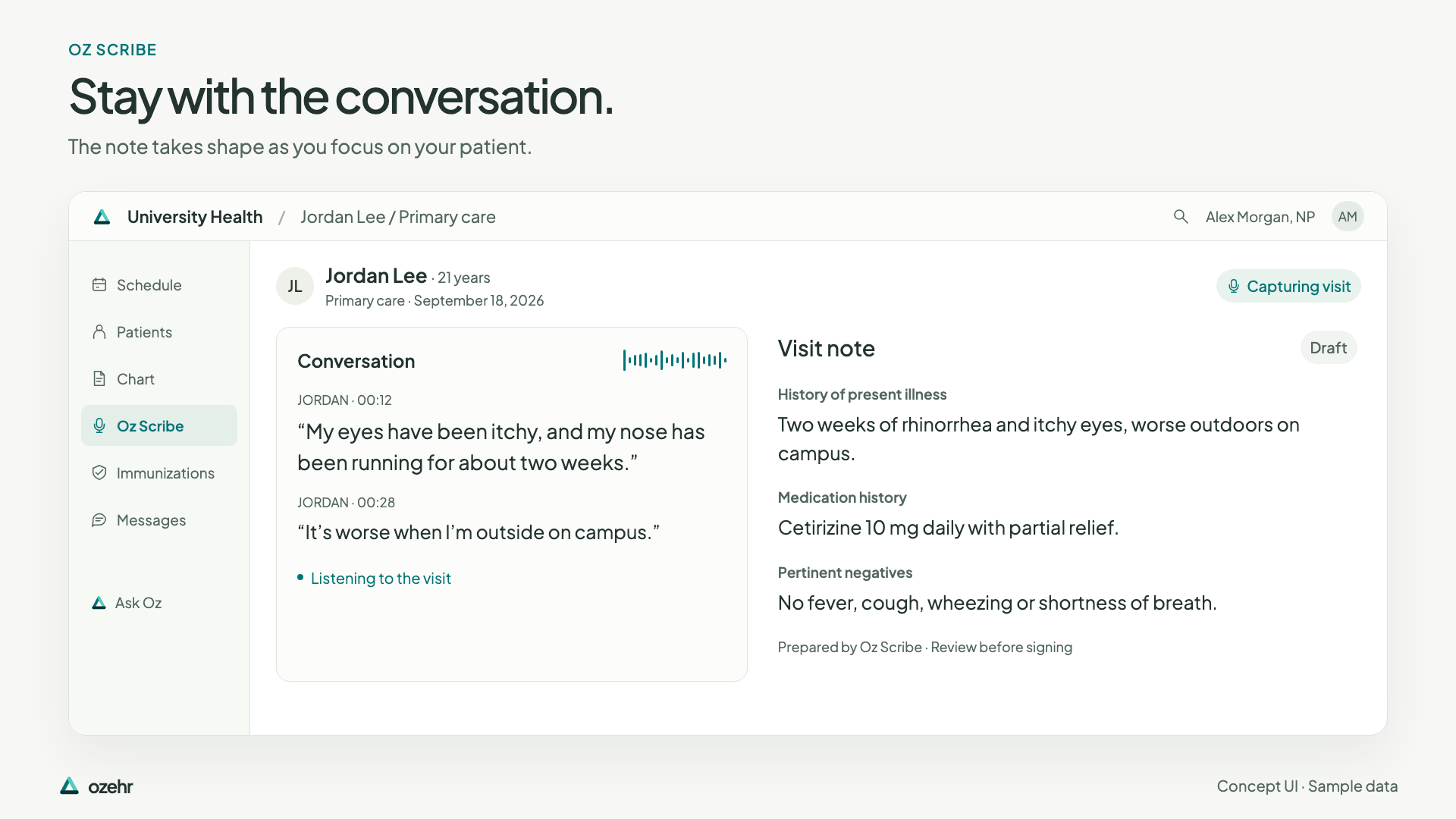
A conversation becomes a draft, with the source beside it and the clinician in control of the note.
Read the film
More eye contact. Less time charting. A conversation. A draft. Your review. Stay with the conversation. The note takes shape as you focus on your patient. A draft you can look closer at. Review a note passage alongside the words that informed it. You decide what stays. Accept, edit or leave out a suggestion. The note remains a draft awaiting clinician signature. Pick up where you left off. Continue supported work from phone to workstation. AI scribe included. More attention for the person in front of you. An EHR built for campus care. Book a demo at ozehr.com.
Concept UI with sample data. Jordan Lee’s conversation appears beside a draft history, medication history and pertinent negatives. Selecting the history shows linked transcript passages. A clinician accepts one suggestion; other sections still need review and the note remains unsigned. OzOnCall and a workstation show the same draft. Generated editorial scenes show a clinician listening to an adult student.
Compare with the original product-view edition
Original edition · 36 seconds · Actual native app captures and source-component previews, with sample data.
One upload. Clear next steps.
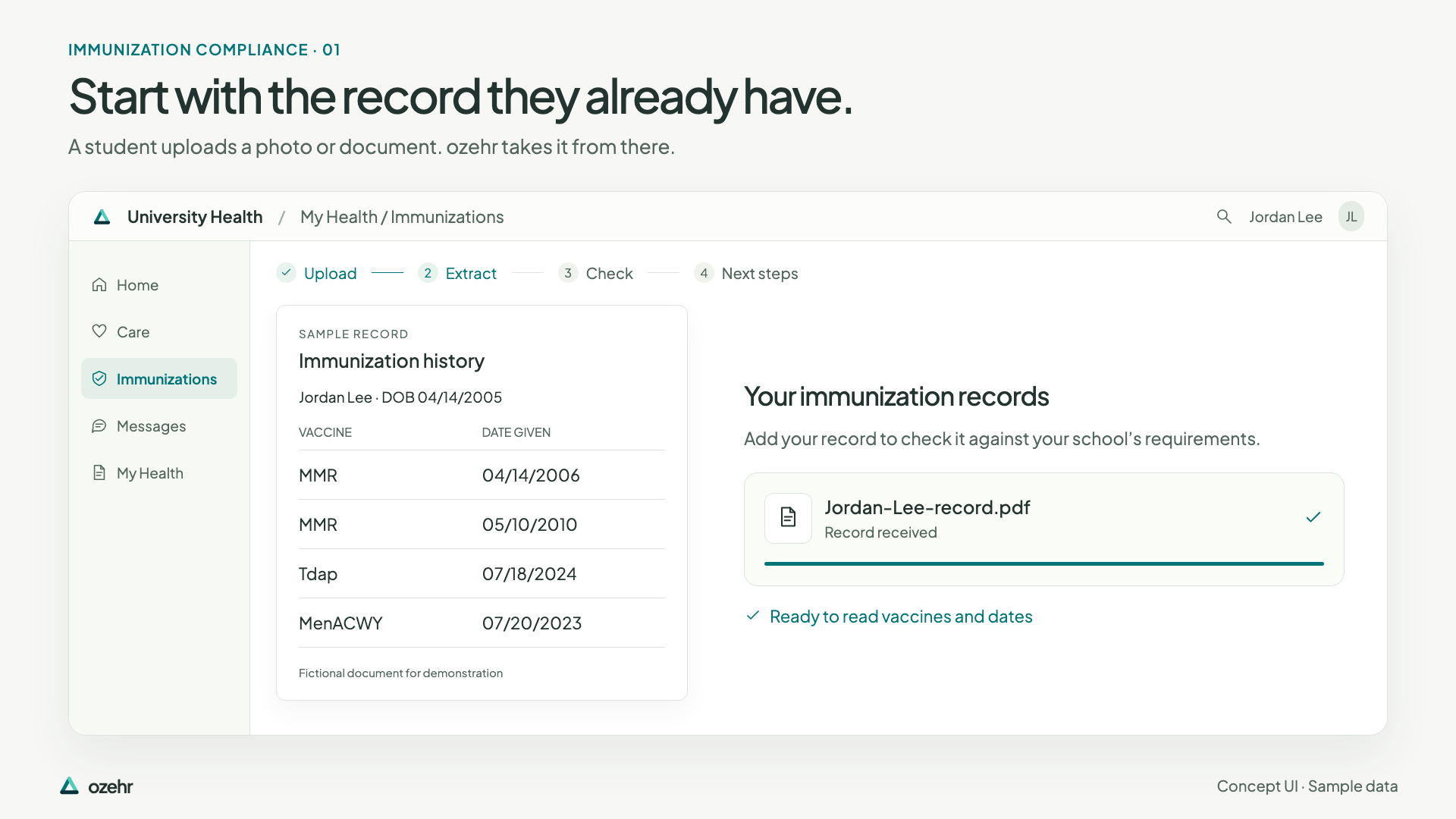
From a student’s uploaded record to extracted dates, school requirements and clear next steps—with staff review when needed.
Read the film
One upload. Clear next steps. Less paperwork between students and care. Start with the record they already have. A student uploads a photo or document. ozehr takes it from there. Vaccines and dates, without the retyping. The source record stays beside the extracted information. A clear status. A clear next step. Requirements are checked against your school’s rules. Example A: all three sample requirements are met. Example B: missing documentation. Upload documentation of a meningococcal dose or contact the health center. Unclear? Keep a person in the loop. Staff can review the source when a date needs a closer look. Less retyping. Clearer follow-up. For your students. For your health center. An EHR built for campus care. Book a demo at ozehr.com.
Concept UI with sample data and fictional school rules. The student portal receives a sample PDF. Four vaccine/date entries appear beside the document. A complete-record example shows MMR, Tdap and MenACWY requirements met. A separate incomplete-record example shows action needed for missing MenACWY documentation. Staff see an unclear Tdap date highlighted beside the source; it remains pending review. Generated editorial scenes show an adult student with a phone and paper record.
Compare with the original product-view edition
Original edition · 36 seconds · Actual native app captures and source-component previews, with sample data.
Campus care. Within reach.
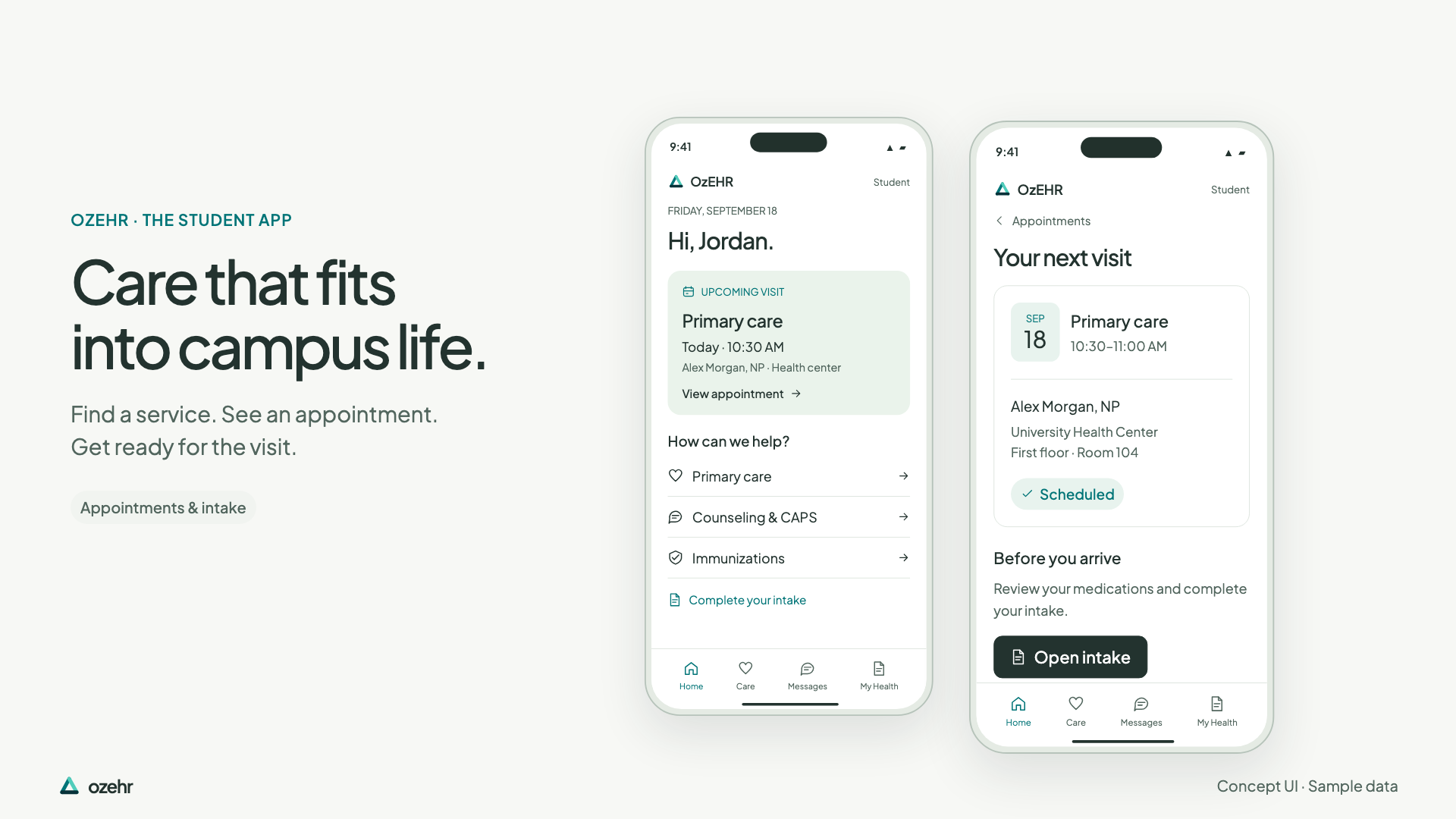
Appointments, messages and records for students. Patient context, results and documentation for providers.
Read the film
Campus care. Within reach. Two apps, built around one health center. OzEHR, the student app. Care that fits into campus life. Find a service. See an appointment. Get ready for the visit. Keep in touch. Keep track. Messages and health records, with your care team close by. OzOnCall, the provider app. The chart, where you need it. Patient context, recent results and a draft ready for review. Pick up where you left off. Continue supported work from phone to workstation. Two apps. One health center. OzEHR for students. OzOnCall for providers. An EHR built for campus care. Book a demo at ozehr.com.
Concept UI with sample data. The OzEHR student home screen shows an upcoming primary-care appointment, care services and intake. Appointment details include a provider, time and location. A care-team message points to visit notes in My Health. The provider’s OzOnCall screen shows Jordan Lee’s chart, vital signs, recent visit and results. A Scribe draft is visible on phone and workstation and remains awaiting clinician signature. Generated editorial scenes show an adult student on campus.
Compare with the original product-view edition
Original edition · 37 seconds · Actual native app captures and source-component previews, with sample data.
Built for the work of a health center.
Explore the current product, or see how ozehr could fit your campus.
Explore ozehrBook a demoBrowse all 60 campaign imagesConcept interfaces are composed in Remotion; the brand close uses HyperFrames. Editorial imagery was created with ImageGen, with photographic motion from the existing Seedance clips. No additional Atlas credits were used for this edition. These scenes do not depict a real university or endorsement. View production manifest.